

Share:
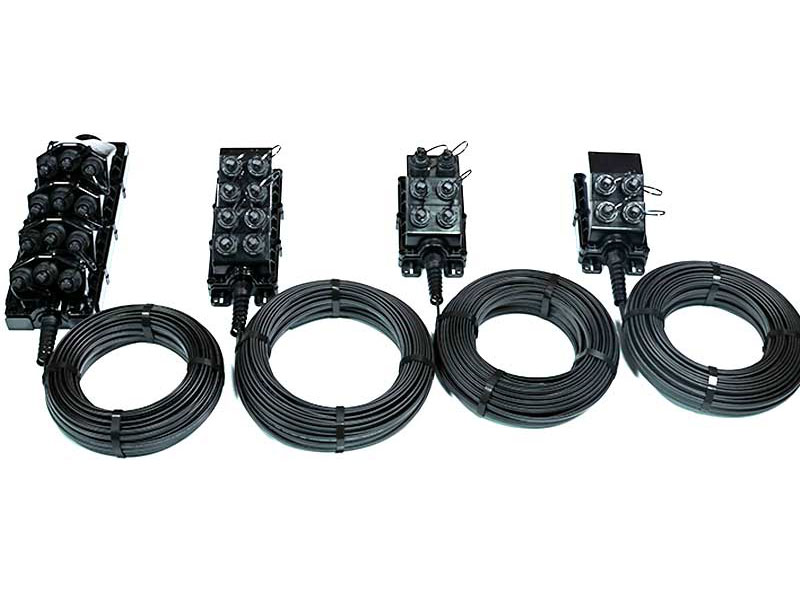
The Multiport Service Terminal (MST) is designed for quick and reliable FTTH and FTTx deployments. Factory pre-terminated with hardened adapters, it removes the need for field splicing and ensures stable performance. With IP68 waterproof protection and flexible mounting options, it is suitable for outdoor use on poles, strands, pedestals, or handholes. Available in 2 to 12 ports, it offers a true plug-and-play solution for fiber network expansion.
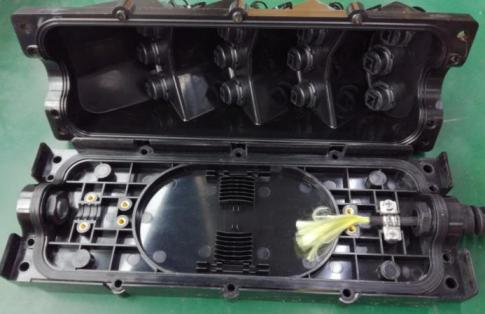
Multi Service Terminal (MST) Closure
Description
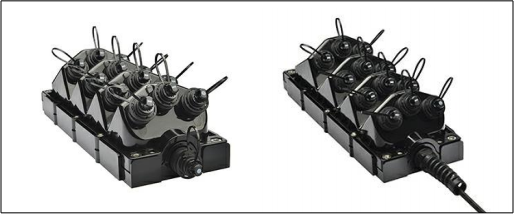
The 12 port Multi Service Terminal incorporates hardened adapters and are fully OptiTap Compatible. Allowing for rapid tower and FTTH deployments, the MSTs are fully IP68 rated to fully withstand the rigors of outdoor deployment in all environments. Each MST comes with easy deployment mount allowing wall mounting or for pole mounting.
Features
u Each box can be fully assembled to reduce the need for opening and opening the field in the field.
u Hardened connectors are factory-terminated and environmentally sealed for use in optical drop cable deployments.
u Plug-and-play adapter ports ensure rapid cable installment in the outside plant access section of the network.
u Multi-port Service Terminals incorporate hardened connector technology that is designed to withstand the rugged outside plant environment.
u Factory terminated IP68 rated, high quality, high performance connectors.
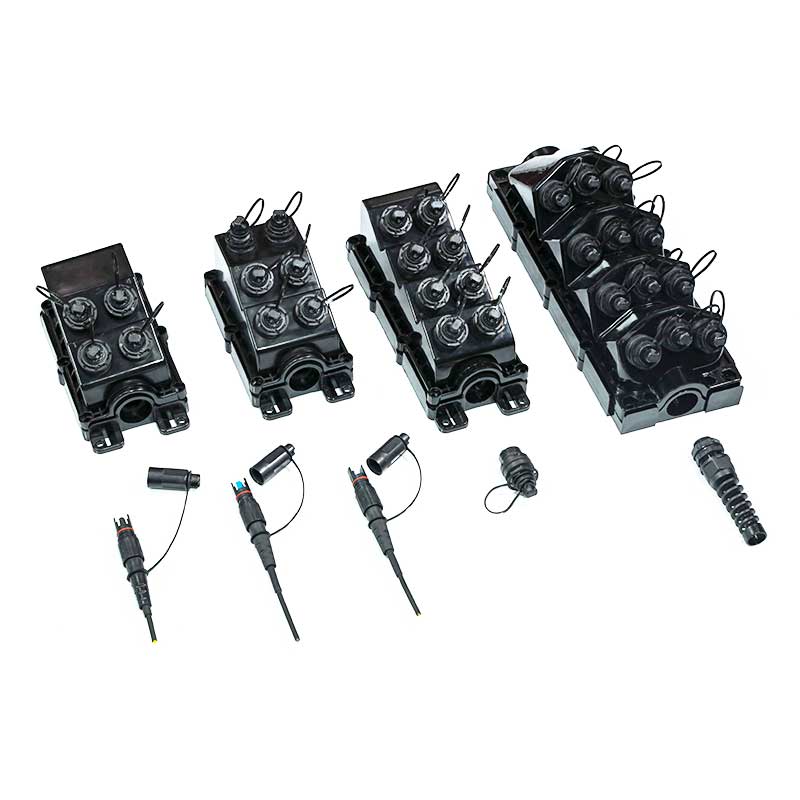
u Flexible choice of ports: 4, 6, 8, and 12 port terminals are available.
u Kind of mounting bracket allowing for a wide range of mount options.
Specification
|
Port |
4, 6, 8, 12 |
|
Product Type |
Access Terminal |
|
Dimension |
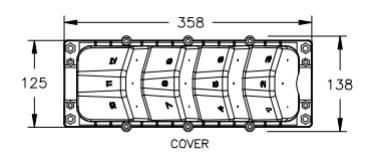
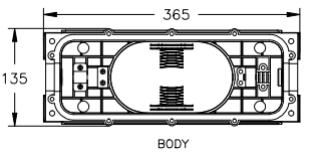
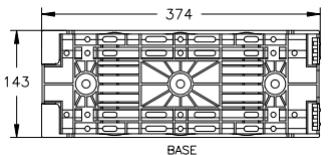
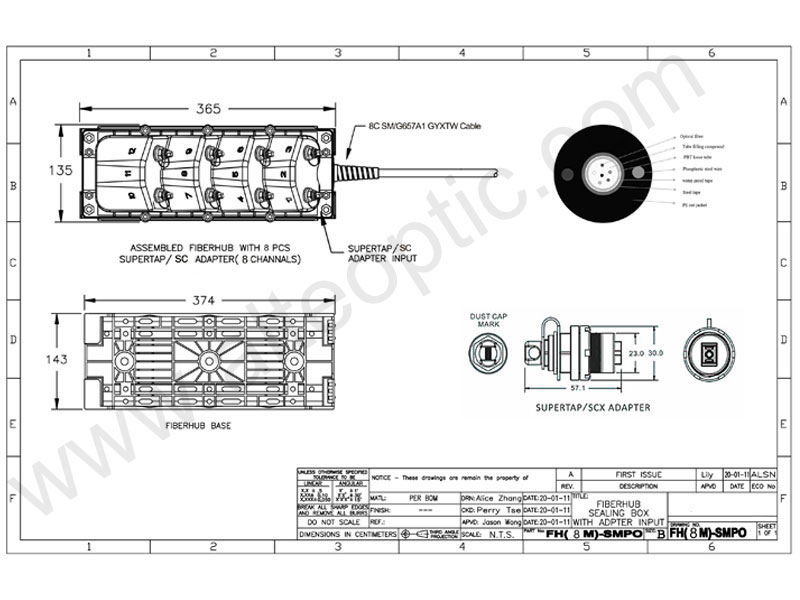
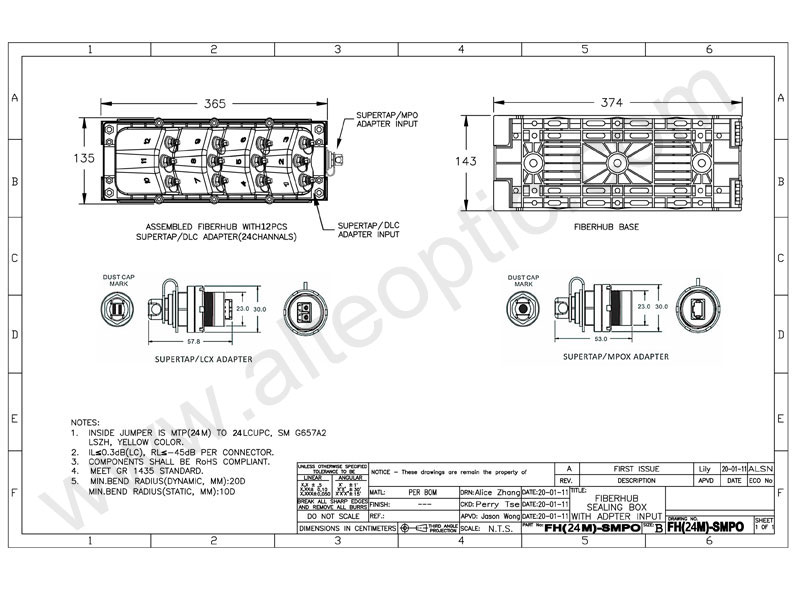
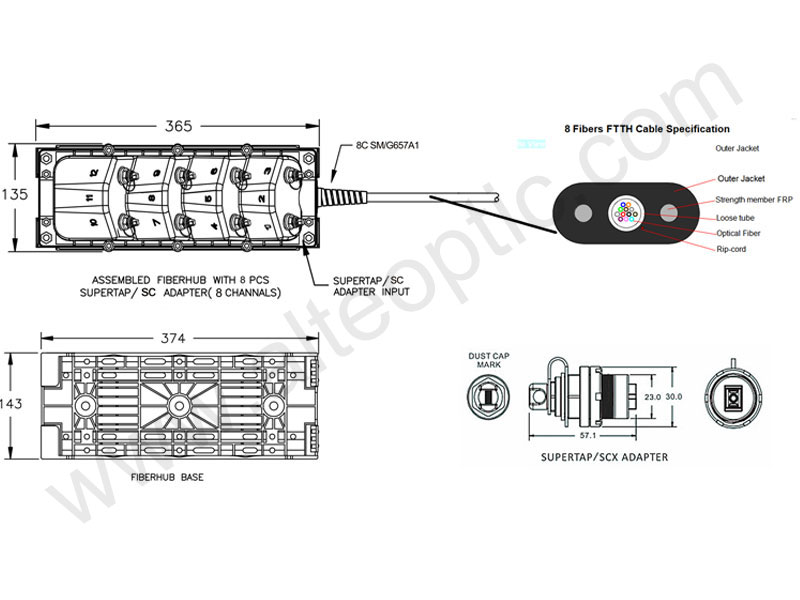
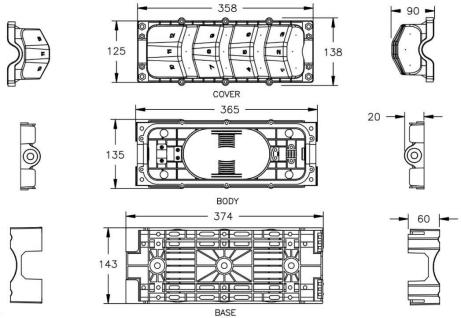
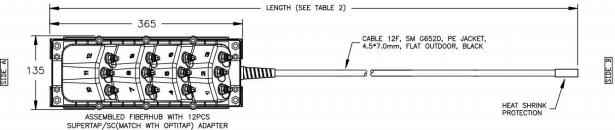
365x135mm (Base 374x143mm) |
|
IP Rate |
IP68 |
|
Components Compliant |
RoHs |
|
Operating Temperature |
-40 to +85℃ |
|
Adapter |
OptiTap SC, OptiTap LC Duplex |
|
Entrance |
Cable gland or OptiTap adapter |
|
Feed Cable |
1, 4, 6, 8, 12 core for options |
|
Stub Type |
Stub Tail |
|
Mounting Method |
Hand-hole, Pedestal, Pole, Strand, Aerial |
Cable Specification
|
Cable Type |
Flat Loose tube flat drop cable |
|
Cable Size |
3.0x4.5mm; 4x7mm; 4.5x8. 1mm; 4.5x9.8mm |
|
Cable Quantity |
1 |
|
Cable Stub Length |
50meter to customized |
|
Attenuation, maximum |
0.30 dB/km @ 1550 nm | 0.40 dB/km @ 1310 nm |
|
Directivity, minimum |
60 dB |
|
Wavelength Range |
1260–1635 nm |
|
Insertion Loss, Terminal Connector, max |
0.4dB |
|
Return Loss, Connector, minimum |
65dB |
Technical Box Drawing
Technical MST with Feed Tail Drawing
More Options

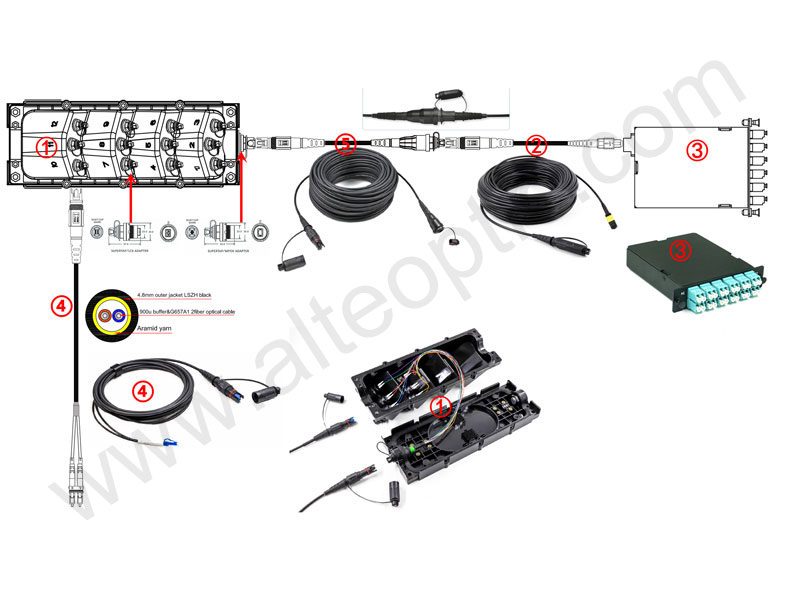
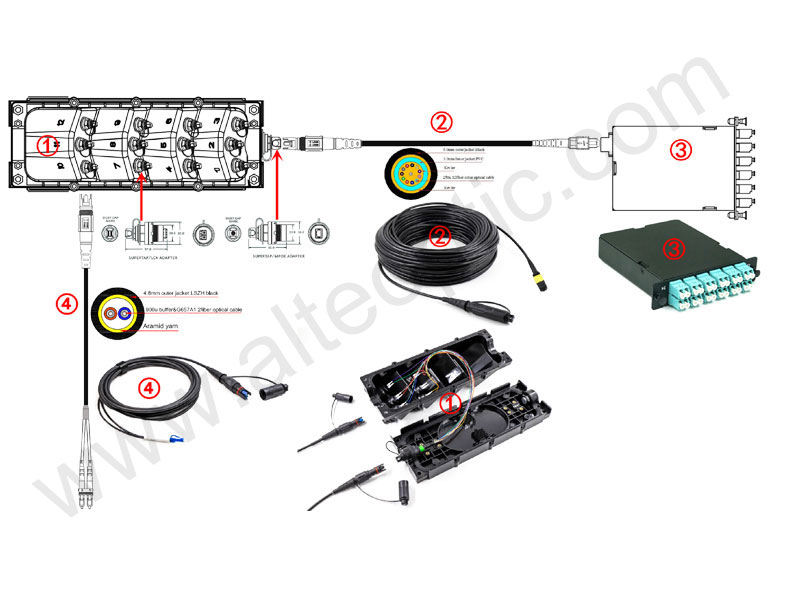
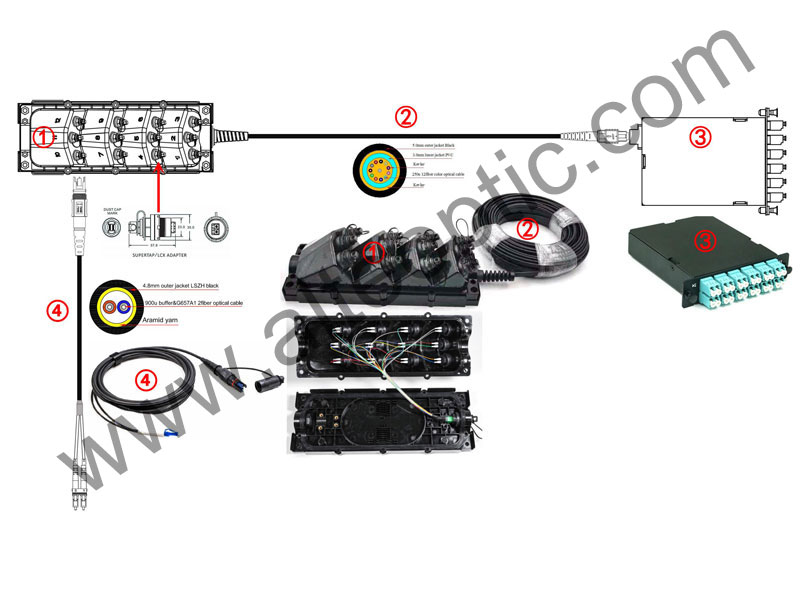
6 Port MST BOX

OptiTap Adapter Entrance 1x2 FBT & 1x4 Hybrid Splitter Loaded

OptiTap 12ct MPO Entrance 6x OptiTap LC Duplex Output

12Port Multi Service Terminal Box with Feed Flat Drop Cable Pigtail
FIBERHUB ® ASSEMBLY/UN-ASSEMBLY WORKING INSTRUCTION
1.TOOLS
1). 5mm Allen wrench
2). 6mm Allen wrench
3). 5mm Allen wrench adapter
4). 6mm Allen wrench adapter
5).Open-ended torque wrench
6).5mm screw & nut(10pcs), 6mm screw & nut(4pcs)

2. FiberHub COMPONENTS:
|
|
|
|
|
|
3. PREPARE COMPONENTS:
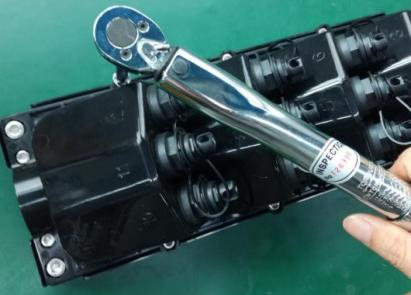
3.1 Assemble 5mm or 6mm Allen wrench adapter on open-ended torque wrench.
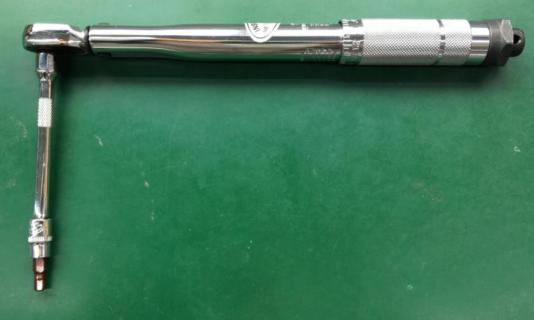
3.2 Turn the adjusting handle by turning clockwise to set the torque (4.5-5Nm).
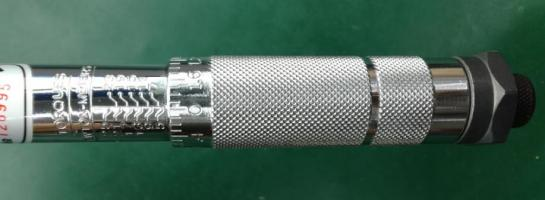
3.3 Turn the valve at following location.
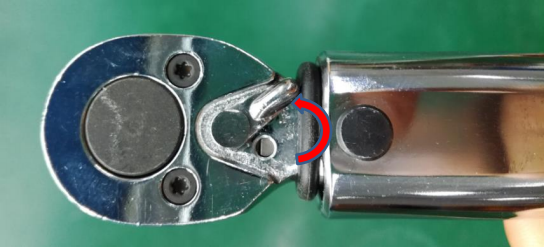
4. FiberHub Assembly
4.1 After assemble adapter, fix incoming cable, link connector & adapter together, and then cover the cover on the body.
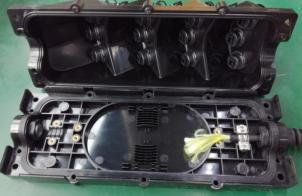
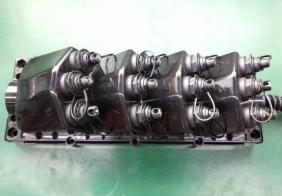
4.2 Put 10pcs 5mm screw and 4pcs 6mm screw into the mounting hole first.
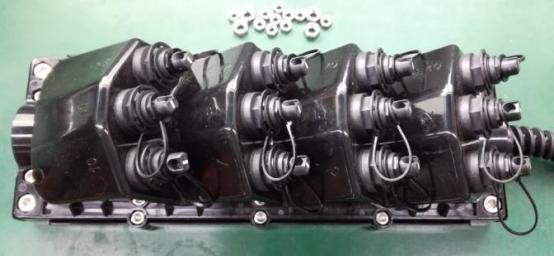
4.3 Use finger to put nut into the mounting hole and assembly by 5mm and 6mm Allen wrench.

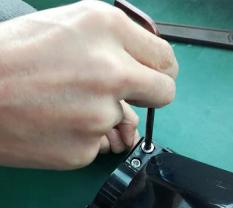
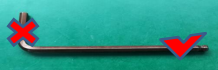
Remark: Only use Allen wrench right side. Cannot use Allen wrench left side because of force moment is big and the force is uncontrolled.
When tighten the screw, turn 2-3 times one by one. Can Not Screw Down One Time! Stop tighten the screw if feel hard to turn.
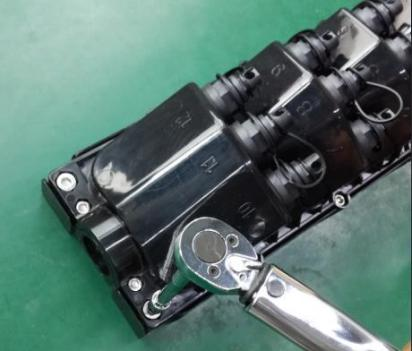
4.4 Change to open-ended torque wrench to tighten screw one by one. Stop tightening till “Click” come out from open-ended torque wrench.

5. FiberHub Un-assembly
5.1 Turn the valve at following location
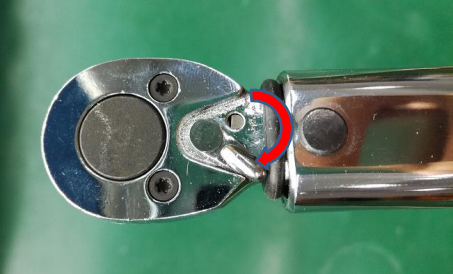
5.2 Use open-ended torque wrench to tighten screw one by one.
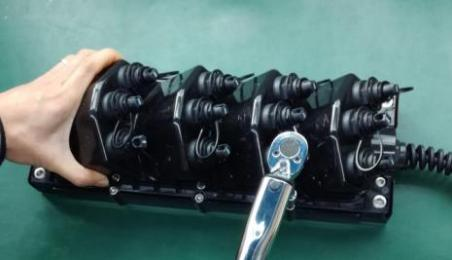
Remark: When loosen the screw, turn 1-2 times one by one. Stop loosening after 2-3 cycles.
Can Not Loosen one screw totally One Time! Loosen one screw one time totally may cause other screw hard to loosen because of uneven force.
5.3 Use Allen wrench to loosen screw one by one till nut comes out.
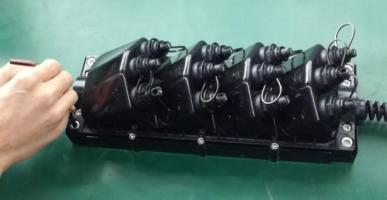
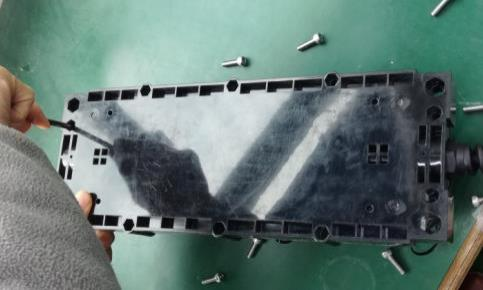
5.4 Turn over FiberHub after all nuts comes out. Then use Allen wrench push screw out from mounting holes. Turn over FiberHub and open.
YOUR VACATION IS HERE
Prepare your network for seamless 5G deployment. Get direct access to factory pricing, custom OEM/0DM solutions, and rapid prototyping,
Let's Build Your Optical Network, Kindly have a chat with our sales experts!
Get A Free Quote
Related Products

OptiTap Compatible Pre-Connectorized MST Box 4/6/8/12/16 Ports
OptiTap Compatible Pre-Connectorized MST Box is designed for fast and reliable fiber deployment in FTTH and FTTA networks.Available in 4/6/8/12/16 ports, it features a plug-and-play design that eliminates on-site splicing, reducing installation time and cost.
View More
White MST White MST-MPO Multiport ServiceTerminal Box
The equipment is used as a termination point for the feeder cable to connect with drop cable in FTTx communication network system.The fiber splicing, splitting, and distribution can be done in this box, and meanwhile it provides solid protection and management for the FTTx network building.
View More
Multiport Service Terminal with pre terminated Multi fiber feeder cable for FTTH outdoor distribution. Available with locatable or dielectric cable options and cable lengths from 50 to 2000 feet for different network deployment needs.
View More
Fiber MST Terminal 4-Port with Built-In PLC Splitter, Stubless Tail-Free
The 4-Port Fiber MST Terminal with Built-In PLC Splitter is designed for rapid FTTH deployment in outdoor environments. The compact enclosure integrates a factory-installed 1×4 PLC splitter, eliminating the need for traditional stub cables. The stubless, tail-free design allows technicians to connect hardened drop cables directly to the terminal, reducing installation time and labor cost.
View More
4 Port Multiport Service Terminal with pre terminated 4 fiber feeder cable for FTTH outdoor distribution. Available with locatable or dielectric cable options and cable lengths from 50 to 2000 feet for different network deployment needs.
View More
6 Port Multiport Service Terminal with pre-terminated 6 fiber feeder cable for FTTH outdoor distribution. Available with locatable or dielectric cable options and cable lengths from 50 to 2000 feet for different network deployment needs.
View More
Multiport Service Terminal with pre terminated Multi fiber feeder cable for FTTH outdoor distribution. Available with locatable or dielectric cable options and cable lengths from 50 to 2000 feet for different network deployment needs.
View More
IP68 Waterproof 2 Port Outdoor Multiport Service Terminal (MST) BOX
Multiport Service Terminal with pre terminated Multi fiber feeder cable for FTTH outdoor distribution. Available with locatable or dielectric cable options and cable lengths from 50 to 2000 feet for different network deployment needs.
View More
Multiport Service Terminal with pre terminated Multi fiber feeder cable for FTTH outdoor distribution. Available with locatable or dielectric cable options and cable lengths from 50 to 2000 feet for different network deployment needs.
View More
IP68 Waterproof 12 Port Outdoor Multiport Service Terminal (MST) BOX
Alteoptic's Outdoor Multiport Service Terminal (MST) BOX or FTTX Enclosure is a new economic fiber distributed solution for outdoor use. Compare traditional products, Outdoor Multiport Service Terminal (MST) BOX is easy to operate and has high compatibility. It can be used for wall-mounting, aerial installation or holding pole installation, based on different situation. not only used in FTTH field, but also used in FTTA or other harsh environment.
View More